PreInk – Tattoo design maker
RefaceEuropeUABArt & Design
3.5899.00 Reviews
- Version
- 1.3.15
- Installs
- 1.00M
- Age Rating
- Everyone
Screenshots
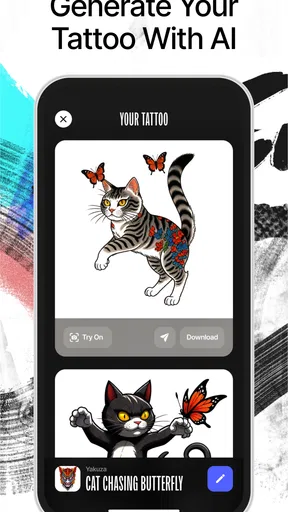
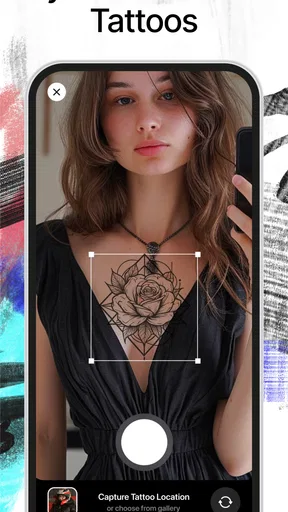
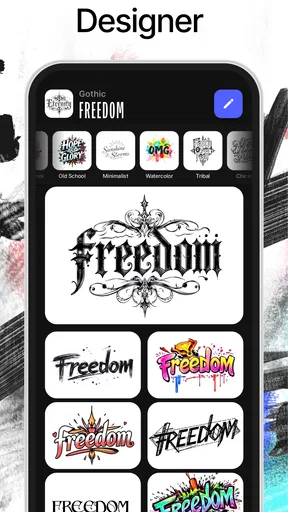
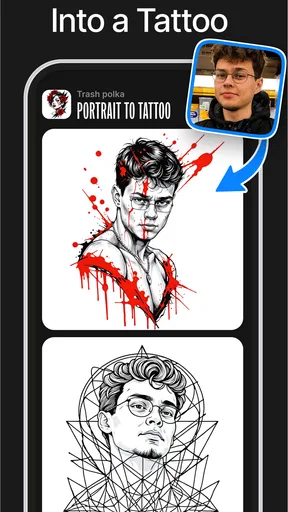
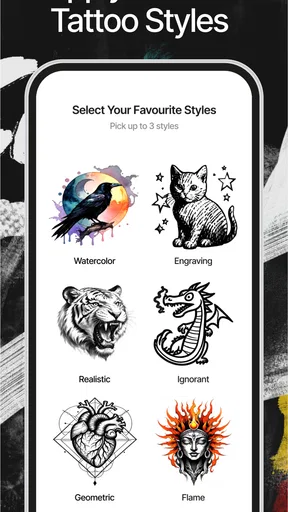
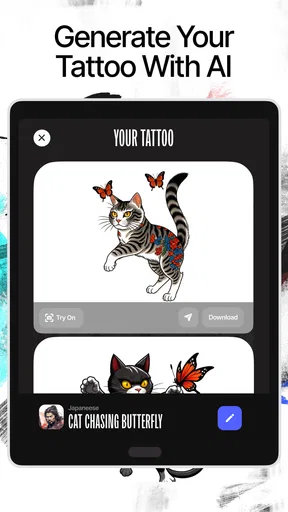
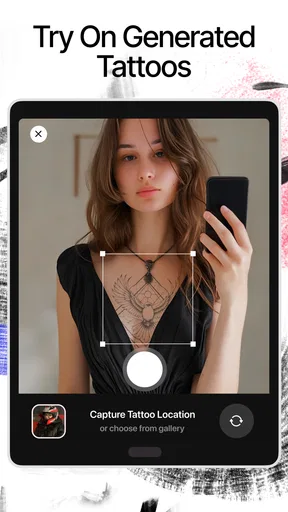
Our Review of PreInk – Tattoo design maker
 Analysis by Appyee
I’d use this kind of app as a sketchbook for ideas, not as a substitute for a tattoo artist. Ink AI – Tattoo design maker is aimed at the moment when you have a loose image in mind but can’t yet picture how it might work as body art. It gives you a way to explore possibilities, try a design against your skin, and decide what is worth taking further. That makes it useful even if you never get tattooed: it can help turn vague inspiration into something you can discuss, revise, or set aside.
A quick way to move from an idea to a visual
The app is an art-and-design tool from RefaceEuropeUAB, and the basic appeal is immediate: you can start exploring tattoo concepts without first learning a complicated drawing program. In my experience, that convenience is most valuable at the beginning of the process, when you are comparing broad directions rather than polishing a final stencil. A short description of an idea can give you a visual prompt to react to, and that reaction is often more useful than staring at a blank page.
AI-generated art is not automatically a tattoo-ready design, though. Treat the result as a starting point and look closely at fine lines, small lettering, crowded details, and whether the image still reads clearly when reduced to the size you might actually wear. Tattoo placement and skin are not a flat digital canvas, so a design that looks striking on a screen may need an artist’s adjustments before it can translate well.
What to expect when exploring designs
The app is free to download, with optional in-app purchases listed from $3.99 to $42.99 per item. I would explore the basic experience before paying for anything, then consider a purchase only if the available tools suit the way you want to work. The app is rated for Everyone, but that content label is not a recommendation to get tattooed; the decision itself deserves care, research, and a conversation with a qualified professional.
Its current version is 1.3.10 and it requires Android 7.0 or later. Those details give Android users a practical compatibility check, but they do not guarantee that every device will feel equally responsive. AI image generation and camera-based previews can be more demanding than browsing static examples, so I would expect the smoothness of those tasks to depend partly on the phone and the work being attempted.
Where it fits among tattoo tools
Compared with searching image boards or browsing a tattoo artist’s portfolio, an AI tool is better for quickly exploring a personal combination of ideas. It can help when you know the subject and mood you want but not the exact composition. On the other hand, portfolios show work made by tattoo professionals and offer a more grounded sense of an artist’s style; for references that need to be technically sound, I would use those alongside the app rather than rely on generated concepts alone.
There is also a difference between a visual mock-up and a tattoo consultation. The app can help you test whether a placement appeals to you, but a preview is only a planning aid. It cannot replace an artist’s judgment about scale, line weight, body contours, or how a design should be adapted. I’d bring a saved concept to a consultation as a conversation starter, while staying open to changes suggested by the person who will actually tattoo it.
Your Personal Tattoo Studio
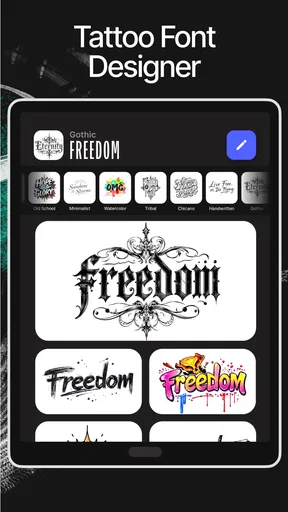
First things first, let’s talk about the app’s design. The interface is slick and user-friendly, making it super easy even if you’re not a tech whiz. From the moment you open Ink AI, you’re greeted with a clean layout that just screams creativity.
Now, diving into the features, this app offers a variety of tools that are perfect for both tattoo newbies and seasoned ink enthusiasts. You start by either choosing a design template or creating one from scratch. The templates are varied, covering everything from intricate mandalas to minimalistic line art, so there’s something for everyone.
Get Creative with AI
The standout feature has to be the AI-powered design tool. This isn’t just any regular tool; it’s like having an artistic genius at your fingertips. You input your ideas, and the AI does its magic, generating designs that are unique and tailored to your preferences. It feels like collaborating with a digital artist who totally gets your vibe.
One thing I found particularly cool is the augmented reality feature. You can actually see how the design looks on your skin before making any permanent moves. Just point your camera at the spot you’re considering, and voilà, your virtual tattoo appears. It’s a total game-changer for indecisive folks like me!
Make the preview useful
I find the camera preview most helpful as a comparison tool, not as a final verdict. Try the same design in a couple of plausible locations and look at it from the distance other people will usually see it. A placement that seems exciting in a close-up can feel visually crowded when you step back. If the mock-up helps you rule out an area, that is already a useful result, even if you later change the artwork.
For a more practical workflow, I’d keep a small set of candidates rather than generating endlessly. Save one version that captures the subject, another that tests a simpler silhouette, and a third that explores a different placement or mood. This makes it easier to explain what you like to an artist, and it prevents a pile of near-identical images from obscuring the strongest idea. It also gives you a better basis for deciding whether the concept still appeals after the initial excitement fades.
Sharing and Community
What’s a great design if you can’t show it off, right? Ink AI makes sharing your creations a breeze. You can easily export your designs and share them across social media platforms directly from the app. This is perfect for getting feedback from friends or just flaunting your creativity.
Plus, there's a community aspect to the app where you can join groups or forums. Whether you’re looking for advice on tattoo care or just want to connect with fellow tattoo lovers, there’s a space for you. It’s like a little tattoo society right in the app.
Feedback without losing your own taste
When you share a draft, I’d ask people a specific question instead of simply asking whether they like it. For example, ask whether the symbol is readable at a glance or whether the shape feels balanced on the chosen area. Friends can help you notice reactions, but their votes are not a substitute for technical advice from an artist. The more specific the question, the less likely you are to end up redesigning a personal idea just to satisfy a crowd.
One sensible use is to share a concept before committing to a consultation, especially if you are torn between two broad styles. Another is to keep the design private until you have decided what matters most to you. Either way, I would avoid treating social approval as proof that a tattoo will age well or suit your body; those are different questions that need more than a quick reaction.
Beyond Just an App
While the app itself is fantastic, it’s important to note that it also connects you with local tattoo artists. If you fall in love with a design, you can find artists nearby who can bring your digital design to life. This feature bridges the gap between virtual and reality, making sure you’re never left hanging after creating your masterpiece.
Of course, no app is without its quirks. Occasionally, I noticed the AI could be a bit overzealous with the design suggestions, offering up options that were a tad too wild for my taste. But hey, a little bit of eccentricity never hurt anyone, right?
When the creative session gets demanding
Generating several variations, previewing them with the camera, and switching between saved ideas is a heavier session than simply browsing a template. I would do that kind of exploration when I have time to compare results, rather than expecting every generated image to be immediately usable. If a result feels off, changing the prompt or narrowing the idea is often a better next step than repeatedly asking for a near-identical version.
For example, if I wanted a small botanical tattoo, I would first decide whether the priority is a recognizable flower, a clean outline, or a more decorative composition. Those are different design goals, and combining all of them in one request can invite a cluttered result. Separating the priorities makes the output easier to judge and gives an artist clearer guidance later.
Reliability and sensible expectations
My overall impression is that the app makes creative exploration approachable, but the most ambitious parts are also the ones where patience matters. AI suggestions can miss the brief, and a camera mock-up is only as convincing as the way it is positioned and viewed. If a generation takes longer than expected or the preview looks awkward, I would first simplify the task and try again rather than assume the concept itself is impossible.
I would also keep important ideas outside a single browsing session: save or export the versions you genuinely want to revisit, and make a note of what you liked about each one. That simple habit is useful when you are comparing designs days later, and it makes a consultation more productive than trying to reconstruct a favorite from memory. The app works best as part of a deliberate process, not as a one-tap decision machine.
Who will get the most from it
This is a good fit for someone who enjoys visual experimentation, is new to tattoo planning, or wants to communicate a half-formed idea more clearly. It can also help an experienced tattoo fan explore a fresh theme before bringing references to an artist. A realistic everyday case might be sketching ideas during a quiet evening, narrowing them to two options, then using the preview to see which placement feels less awkward before arranging a professional conversation.
I would skip it if you already have a precise design and mainly need a technically clean stencil, or if you expect AI to make the artistic decisions for you. A drawing app gives more direct control when you want to edit every line yourself, while an artist’s portfolio and consultation are better when craftsmanship, style, and suitability for the body are the priorities. For a simple symbol or lettering, a carefully selected reference and professional advice may be more useful than generating many elaborate alternatives.
Performance verdict
Ink AI has passed one million installs and holds an average rating of 3.6 from around 15,000 ratings, with 888 written reviews. I take that as a reason to approach it with practical expectations: it has found an audience, but the experience may not match every person’s taste or workflow. The app is free to start, and the optional purchases are worth weighing against how much you actually use its creative tools.
For me, its strongest role is helping turn a thought into a visual conversation: generate a direction, inspect it on the body, and take the promising version to a professional. It is less convincing as a source of final tattoo-ready artwork or as a replacement for a skilled artist. If you keep that distinction in mind, the app can make the early, uncertain stage of planning more enjoyable without encouraging you to rush into a permanent choice.
Final Thoughts
So, would I recommend Ink AI – Tattoo design maker? Absolutely! Whether you’re seriously considering your next tattoo or just want to play around with design ideas, this app is a fantastic tool. It’s easy to use, packed with features, and offers a unique blend of creativity and practicality.
In a nutshell, if you’ve got ink on the brain, give Ink AI a whirl. It’s like having a tattoo shop in your pocket, ready to turn your body art dreams into reality. Who knows? You might just find your next favorite tattoo hiding in there.
Verdict
Strengths of PreInk – Tattoo design maker
- Intuitive interface for easy design creation.
- Wide variety of tattoo styles available.
- High-resolution image export options.
- Customizable design templates.
- Realistic preview on skin feature.
Limitations of PreInk – Tattoo design maker
- Limited free features; in-app purchases needed.
- Occasional app crashes reported by users.
- Requires stable internet for optimal use.
- Some designs may look generic.
- Ads can be intrusive during design process.
Similar Picks in This Category
View All
Canva: AI Photo & Video Editor
Canva4.8

PENUP – Drawing-sharing SNS
Samsung Electronics Co., Ltd.4.5

Crafto
Kutumb App4.6

Sketchbook
Sketchbook4.1

ibis Paint X
ibis inc.4.5

Adobe Express: AI Photo, Video
Adobe4.6
Frequently Asked Questions
What features does Ink AI – Tattoo Design Maker offer to users?
Ink AI – Tattoo Design Maker provides a range of features including a vast library of tattoo designs, customizable templates, and AI-driven suggestions tailored to user preferences. Users can also upload personal images to create unique tattoos and utilize tools for adjusting size, color, and placement. Additionally, the app may offer a virtual preview feature to visualize tattoos on the skin.
Is Ink AI – Tattoo Design Maker free to use, or are there in-app purchases?
While Ink AI – Tattoo Design Maker is free to download, it likely includes in-app purchases to unlock premium features, additional design packs, or advanced editing tools. Users may also encounter ads within the free version. Subscriptions or one-time purchases can enhance the overall experience by providing access to exclusive content.
How user-friendly is the interface of Ink AI – Tattoo Design Maker?
The app is designed with a user-friendly interface that caters to both beginners and experienced tattoo enthusiasts. It features intuitive navigation, easy access to design tools, and clear instructions. The integration of AI simplifies the design process, making it accessible for users with varying technical skills, ensuring a seamless experience.
Can I save and share my tattoo designs created in Ink AI – Tattoo Design Maker?
Yes, Ink AI – Tattoo Design Maker allows users to save their creations directly to their device’s gallery. The app also supports sharing designs via social media platforms, email, or messaging apps. This feature enables users to showcase their creativity and receive feedback from friends or tattoo artists before committing to a design.
What level of customization does Ink AI – Tattoo Design Maker provide?
The app offers extensive customization options, allowing users to modify existing templates or create entirely new designs. Users can adjust elements such as size, color, and style. The AI feature assists in generating personalized suggestions based on user input, ensuring that each tattoo design is tailored to individual preferences and artistic vision.
